
Download 04 OPEX & Workforce
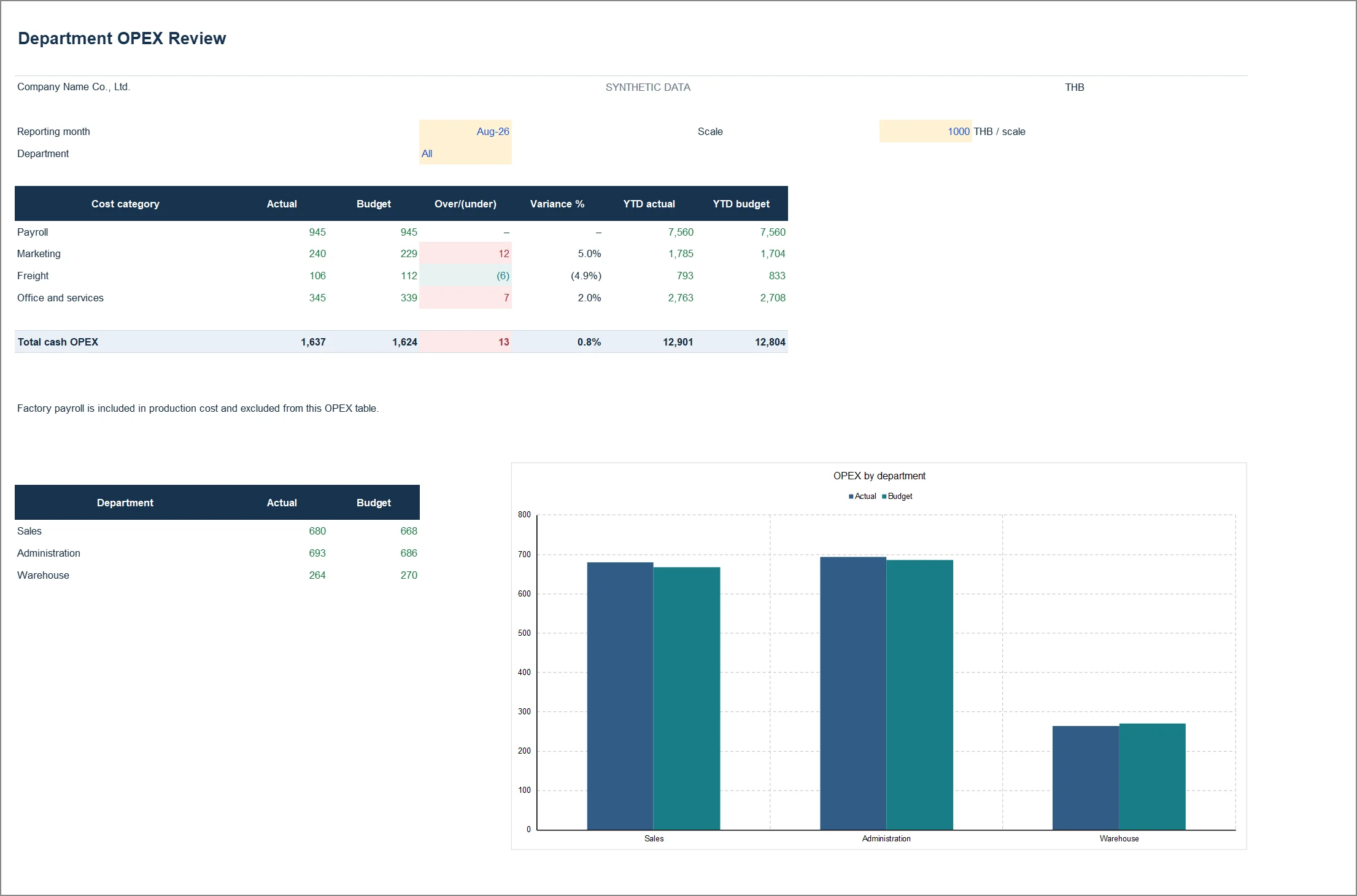
When spending rises, separate headcount, pay per person and activity. Department costs sit next to FTE in one file.
What is inside the file
The sheet list below is read out of the actual workbook when this page is built, not typed. If the file changes, the list changes with it.
Where to look first
- Start on OPEX Review: total spending against budget first, then the department or category with the largest variance.
- Open Workforce and read FTE together with payroll per FTE, to separate headcount from wage rates.
- If a figure looks wrong, trace it back on OPEX_Data or HC_Data.
- Before passing the file on, open Checks. If a line fails, do not send it yet.
Read the guide to this report first →
What you need before using it on your own company
- Monthly spending by department and account category.
- Monthly headcount or FTE for each department, with total payroll.
- A spending and headcount budget split by the same departments.
Check the file against the original
The SHA-256 values below come from the pack’s FILE_MANIFEST.json and are re-checked against the real files every time the site is built; a mismatch fails the build. To verify your copy yourself:
certutil -hashfile 04_OPEX_and_Workforce_TH.xlsx SHA256sha256sum 04_OPEX_and_Workforce_TH.xlsx| File | bytes | SHA-256 |
|---|---|---|
| 04_OPEX_and_Workforce_TH.xlsx | 96,772 | 5e704ae6a516cc05d185d8af6929f13e43a1a1049ab8b63330966151324b5c56 |
| 04_OPEX_and_Workforce_EN.xlsx | 94,108 | ea3a75df88dfe45bc0e8908a241fad42596160d6d180451d1fabdaccba562e98 |
Use it in your work, change it, use it inside your company — no permission needed. The one ask is not to resell it as your own product. The figures are synthetic teaching data, not a real company’s results, and someone responsible for finance should review the formulas and costing policy before you run it on real numbers.
Download the workbook
What will you use this file for?
Optional. No personal details.
Thanks. This helps decide which files to build next.